
Advice documents
Record of Advice
A concise advice document for further advice to existing clients where a full Statement of Advice is not required under ASIC Regulatory Guide 175. It documents the specific advice provided and demonstrates its appropriateness for the client’s circumstances.
Use it for additional advice to clients with an existing Statement of Advice, where their relevant circumstances have not significantly changed, or when implementing previously advised strategies. Mark sections such as recommended products or asset allocation as conditional and they only appear when relevant.
The problem
Why the Record of Advice takes so long today.
Without Claras
Further advice is the document most likely to be under documented. Writing it means re-reading last year’s SOA to confirm what was advised, then setting out the change in a way that shows the original basis still holds.
With Claras
Select the earlier Statement of Advice as a source alongside the review meeting, and Claras drafts each section of your ROA template against what was advised before, so the change and its basis are set out side by side.
Sources
What Claras draws on.
You choose which materials are relevant. Claras reads the parts of them that each section of the Record of Advice needs, and shows you the sources behind each section.
- The earlier Statement of Advice
- The review meeting
- Updated fact find or account statements you attach
Controls
The same controls on every document.
- Fixed wording inserted word for word, where you turn it on
- Adviser and licensee details drafted from your practice profile
- Review guidance on every drafted section: light, standard or careful
- Personal information removed before anything reaches the AI, by default
- Version history on every document
- Word export in your branded template
Make the template yours.
Templates from your licensee.
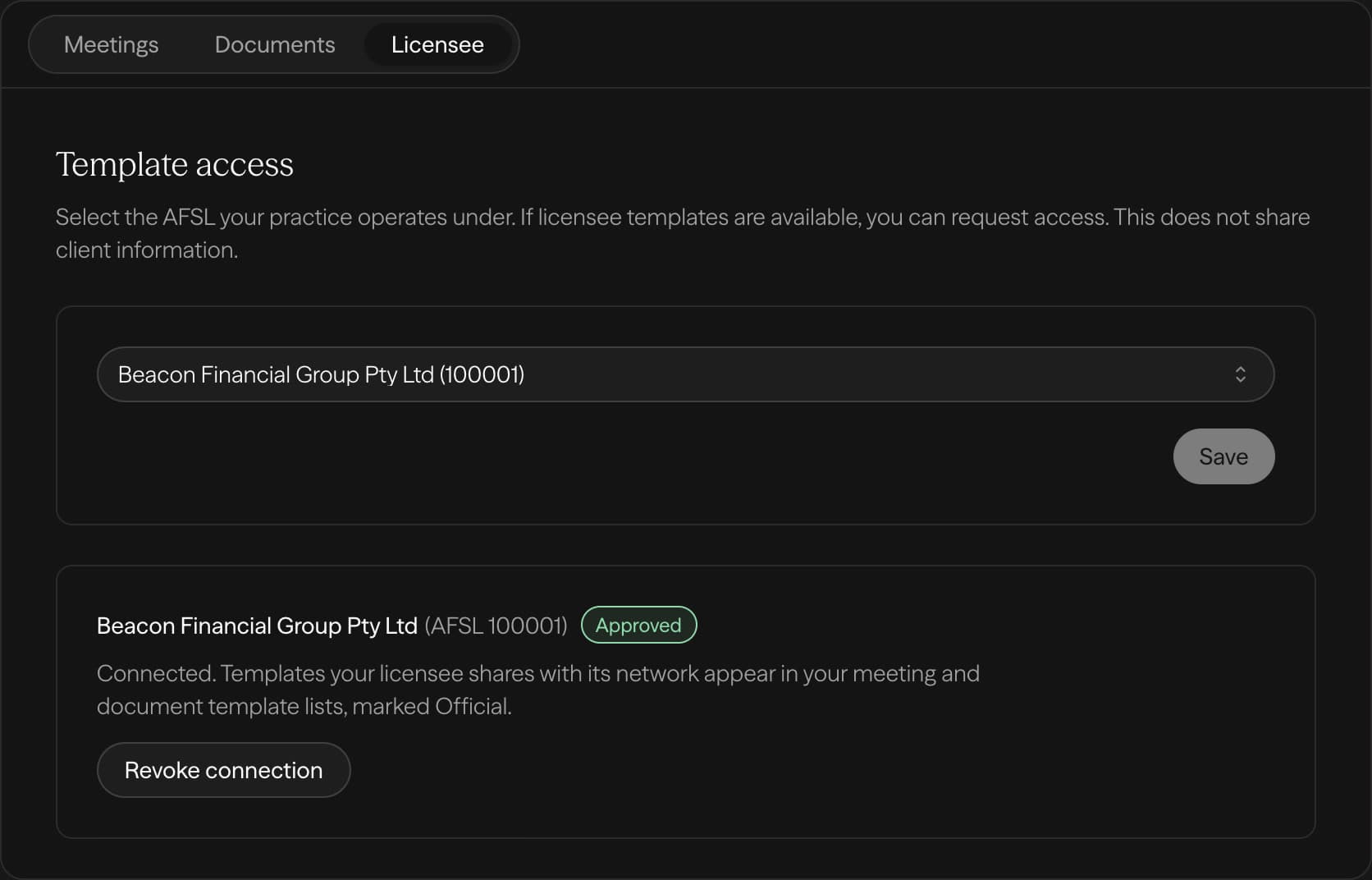
If your licensee is on Claras, you draft from the structure they signed off, and they keep control of it.
- 1Select your AFSL
- 2Your licensee approves
- 3Their templates appear in your list
Licensee not on Claras yet? Tell us about your licensee
Built for advisers. Governed by licensees.
For advisers
Draft your next document from the meeting you just had.
For licensees
Share your templates with your advisers.
Other advice documents