
Advice documents
Implementation Guide
A detailed implementation roadmap created after the client accepts the advice. It is a project management tool to make sure every recommended strategy is implemented correctly, in the proper sequence and within the required timeframes.
Use it after the client accepts a Statement of Advice or Record of Advice, to coordinate implementation across the client, the practice and product providers.
The problem
Why the Implementation Guide takes so long today.
Without Claras
Once the client signs, implementation becomes a list of tasks across product providers, the client and the practice, and the deadlines with real consequences, like contribution caps and cooling off periods, are the easiest to miss.
With Claras
Claras drafts each section of your implementation template from the accepted advice and the presentation meeting, so actions, deadlines and follow up are written down the day the client signs.
Sources
What Claras draws on.
You choose which materials are relevant. Claras reads the parts of them that each section of the Implementation Guide needs, and shows you the sources behind each section.
- The accepted Statement of Advice or Record of Advice
- The presentation meeting
- Product applications and provider details you attach
Controls
The same controls on every document.
- Fixed wording inserted word for word, where you turn it on
- Adviser and licensee details drafted from your practice profile
- Review guidance on every drafted section: light, standard or careful
- Personal information removed before anything reaches the AI, by default
- Version history on every document
- Word export in your branded template
Make the template yours.
Templates from your licensee.
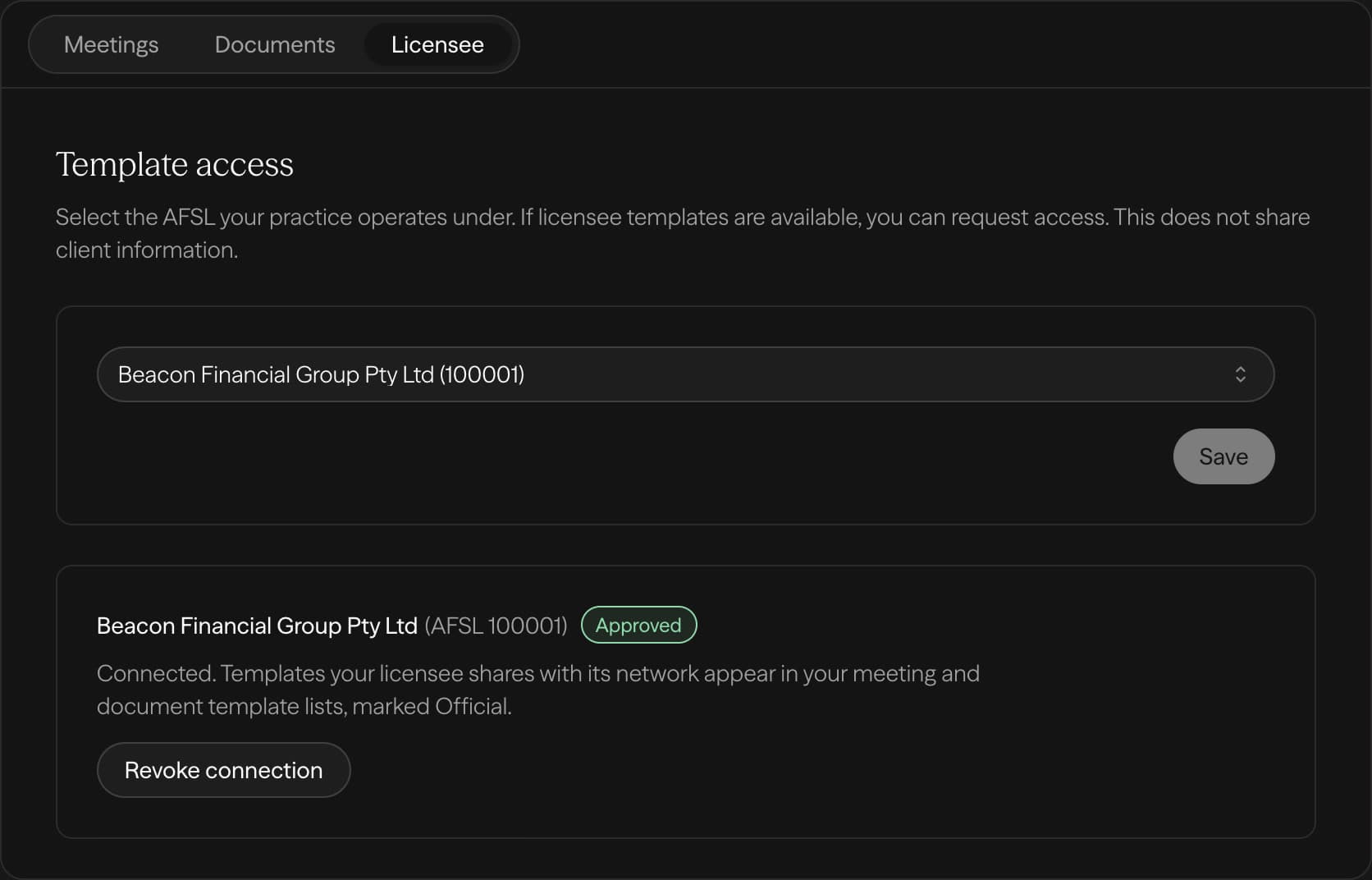
If your licensee is on Claras, you draft from the structure they signed off, and they keep control of it.
- 1Select your AFSL
- 2Your licensee approves
- 3Their templates appear in your list
Licensee not on Claras yet? Tell us about your licensee
Built for advisers. Governed by licensees.
For advisers
Draft your next document from the meeting you just had.
For licensees
Share your templates with your advisers.
Other advice documents